Showing posts with label typing. Show all posts

Friday, May 24, 2019

Typing Tournament Online & Maths Invaders Online from EdAlive: A TOS Crew Review


Summer learning should look like fun.  Typing Tournament Online & Maths Invaders Online from EdAlive is my new secret learning weapon!
These two programs are really teaching math facts and typing skills, but shhhh...don't tell them, my children think they're playing computer games.  

EdAlive is an Australian company that creates software for kids that is both fun and educational. We were delighted to have access to both programs, all from a central library with the same login.  To get started, you create a parent login, and set up your students.  From this login, you can easily track their progress, in both programs. 


Typing Tournament Online is designed for students ages 6 and up.  It contains important typing skills instruction, and vital typing practice.  The 128 lessons have a medieval theme.  Your students progresses along a personalized map.  It's quite simple, learn the skills needed in the lesson to pass a skills/speed test, and you move on. Each lesson contains 3 typing drills designed to help you master the keyboard, and a test.  


The program teaches typing skills progressively, building lesson upon lesson.  If they need more practice, they repeat the lesson. There are several "games" they can play, all with the medieval theme.  My testers loved knowing what their WPM was.  Certificates are available to print out as a record of what they have done.

My tester LOVED this program.  She is in 4th grade and hasn't done much typing instruction.  This was the perfect introduction.  It's easy to use, and she asks to get to "play" every day.  I've already seen improvement in her typing skills!

  
Maths Invaders Online is great for students in K-10th grade.  This program contains skills practice for a huge variety of necessary math skills from addition to square roots and percentages!  There are several different ways the student can practice: Galactic Campaign, Space Rescue, Time Tables, and even printable worksheets.

My testers loved the Galactic Campaign - basically, they are answering math questions in order to stop the invaders.  Answer the question and "shoot" the invaders.  It's so fun, it's addictive!  I sat down to "show them how", but ended up hooked myself.  They had to beg me for their turn :-)  They can choose to play at different speeds: basic, expert or master, so you can really focus on improving their math fact recall and speed.  


Space Rescue is a game they can play.  They can choose to compete against themselves, other players online, or against the computer.  Answering math questions allows them to arm their weapon to take aim at the target.


In addition, you can practice those important times tables.  Either online, or you can print out customized worksheets as well.


Overall, these two programs were easy-to-use, and fun.  I'm sure that they'll spend many more hours practicing  math and typing skills, but thinking they're playing games!  It's a win for me, and for them.

Typing Tournament & Maths Invaders Online {EdAlive Reviews}
Find EdAlive  on Social Media:


Hashtags: #hsreviews #onlinetypingtutor #typingtutor #onlinemathpractice #mathpractice


Typing Tournament & Maths Invaders Online {EdAlive Reviews}

Crew Disclaimer

Thursday, February 22, 2018

UltraKey Online Family Subscription from Bytes of Learning: A TOS Crew Review

UltraKey Bytes of Learning

UltraKey Online Family Edition

UltraKey Online Family Subscription from Bytes of Learning

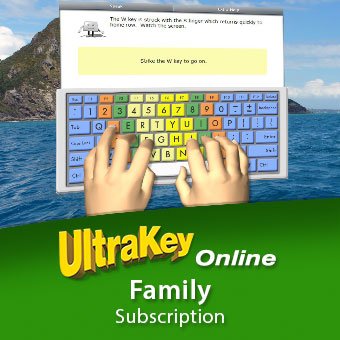
Typing and keyboarding are a vital skill for today's world, and we have found a new program to help us master it! UltraKey Online Family Subscription from Bytes of Learning is a online customizable course that can get you up to speed in no time!

This self-paced course includes 12 lessons designed for ages 8 to adult. Sessions are meant to take approx. 20 minutes.

UltraKey Online Family Edition

One of my favorite parts of this program is that it is completely customizable to each user - the UltraKey Online Family Subscription offers options for 3, 5 or 8 users, and the parent account is free (you can use it too - I did, and it's fun!)  The set up is very easy, and you can see everything on your dashboard.


Your student takes an assessment to help with placement.  Both of my testers (grades 3 & 4) are brand new typists, so they started at the beginning.  I took a test and decided I could use some extra practice, so I've been using the program too.  

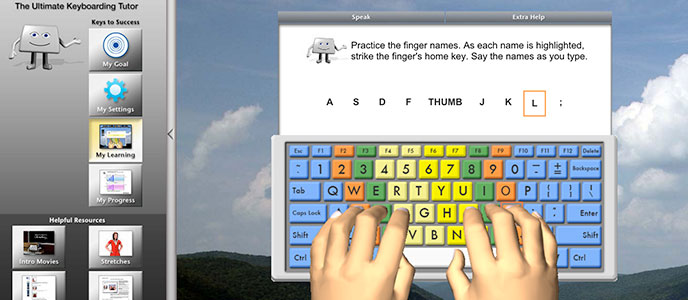
At first - everyone learns about proper posture and finger placement.  The program uses a combination of short video animations, slides and audio instruction.  Each user can set their own goals or let the program set the goal based on assessment.  The goals can be changed.  

Each user can customize their settings - changing display colors, displaying the hands on screen, practice amounts, and if to allow backspacing. I never realized how much I do this, until I couldn't :-)

The program automatically returns to the spot you left off.  This program is very user friendly, and easy to learn - both of my testers were able to work completely independently.  Lessons focus on teaching a specific key, then letter combos, and finally integrating it into words and sentences.  

Once you complete the lesson, you are ready for a Skill Check.  This will assess your typing to your set goals - both for wpm and accuracy.  I found I had set my goals a bit high, and had to re-do them.  The program will not allow you to move on until you master your goal.  


The "My Reports" section allows me to see their progress.  Which lessons they have completed, skill checks, wpm and accuracy.  Printable certificates can be downloaded.  

In addition to working through the lessons - the Typing Forum allows you to take typing tests or use the free typing tool.  This is an area to practice your skills.


 The Game Zone has several options to incorporate your typing practice into games.  My testers really enjoyed this section - and were please by how the lessons had helped them! 


Overall, I am very impressed with this program.  It is user-friendly, works on any computer - or even on tablets (with keyboards), and is very affordable.   The program includes helpful PDF User Manuals, short videos and solid instruction.  I like that it's not overly animated, or game based.   It's engaging but, offers solid ways to actually improve both your speed and accuracy in typing.

 We have tried other approaches, but this program has really shown measurable results in our typing improvement.  You will want to check this one out!


 Find Bytes of Learning on Facebook

Hashtags:
#hsreviews, #typing, #keyboarding, #onlinelearning


UltraKey {Bytes of Learning Reviews}

Crew Disclaimer

Thursday, April 14, 2016

Read, Write & Type from Talking Fingers Inc.: A TOS Crew Review

Talking Fingers Inc. ReviewTalking Fingers Inc. Review


Read, Write & Type from Talking Fingers Inc.

The Bentz Test Laboratory has a whole new set of testers that are enjoying Read, Write & Type from Talking Fingers Inc.  (one of my older testers used this 5-6 years ago!)

 This is an online reading program that includes phonics, spelling, keyboarding and word processing for students ages 6-8. It even contains special features for ESL students and those with learning & reading challenges. 

 Teachers can try out a sample lesson, or students can try out the first 8 lessons for FREE!

My tester this time is my 8 year old, 2nd grader.  This program contains 40 lessons divided into 10 levels.  Each lesson takes approximately 15 minutes.

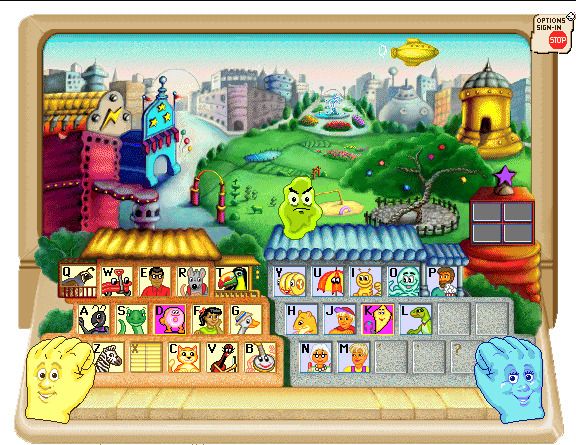
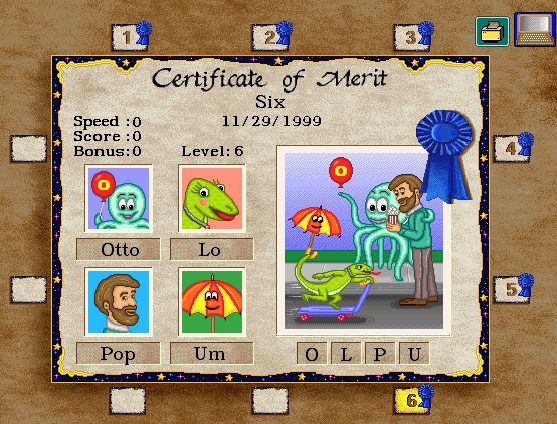
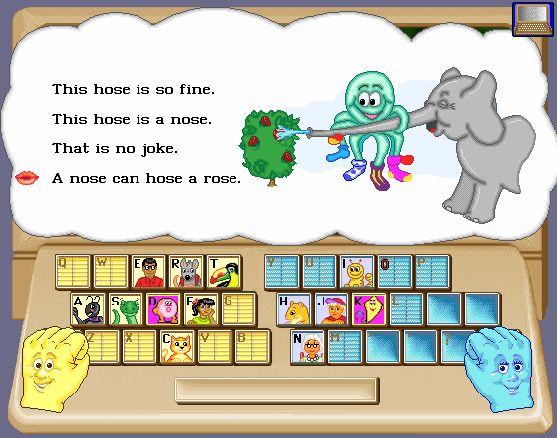
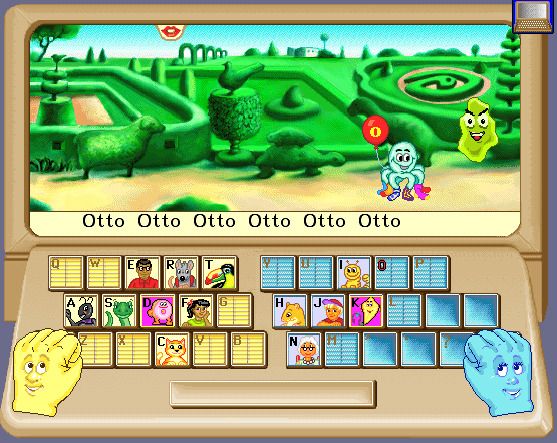
Talking Fingers Inc. Review  Letter sounds and keyboard placement is taught through short animations with memorable characters.  The student's goal is to "rescue" letters that the bad guy (Vexor - a green slimy guy) has hidden from the storytellers (Lefty & Rightaway - the smiling hands).   Each time a student has rescued a group of 4 letters, they earn a merit certificate.  Even though my 8 year old was our tester, my 6 year old demanded she be allowed to watch!  My tester wanted to keep working each day - until she earned a certificate, and she BEGGED to do this program daily!

My tester was completely caught up with the storyline, and didn't even realize this was another of  "mom's teaching games" - they are on to me! 

 
I love that she could work independently, however - I could check her progress as well from the parent login area. The "Bonus Blimp "keeps track of her performance and sends her back to activities that she needs more practice on.

Talking Fingers Inc. Review
Even though she has mastered the letter sounds - this program gave her the practice she needed to isolate the sounds in words, and her spelling has improved dramatically!

Her favorite part has been learning to use the keyboard "like the big kids".  


This is a fun program for your younger kids, and it's very easy to use.  


Talking Fingers Inc. Review
Find Talking Fingers Inc. on Social Media:

Facebook:  https://www.facebook.com/TalkingFingers/
YouTube: https://www.youtube.com/user/talkingfingersvideo
Twitter:  https://twitter.com/ReadWriteType/with_replies @readwritetype

Hashtags: #hsreviews #reading #typing #esl #k-2learning


See what other members of the Crew thought here

Talking Fingers Inc. Review

Crew Disclaimer