Showing posts with label email. Show all posts

Wednesday, May 16, 2018

Kids Email Safe Email for Kids from Kids Email: A TOS Crew Review

Kids Email

Kids Email

Kids Email Safe Email for Kids from Kids Email

Email.  It's a part of daily life for everyone... Kids Email Safe Email for Kids from Kids Email is an annual subscription that allows even your youngest children to use email in a safe environment.

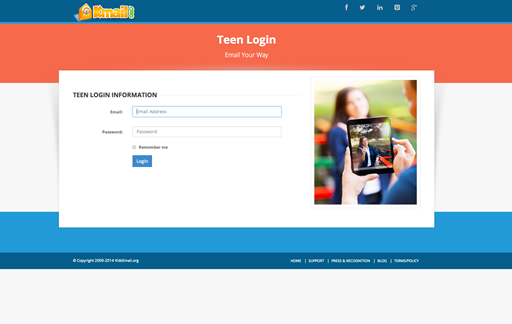
The program allows you different options, depending on the age/maturity of your child.  Your annual subscription includes up to 6 email accounts.  You can choose a child account, which has a .kidsemail.org address, or a teen account, which has a .kmail.org address.  We have used both.  For this review, my testers were the youngest members of the family - in 3rd and 4th grade.  They were delighted to join the family email loop!

The parent sets up each child's account, and customizes it to the child.  I love that I could use this feature, since I have both young children and older teens.  Some of the features include:

  • Mail Monitoring
  • Time Restriction
  • The Mail Queue 
  • Block Senders 
  • Contact Manager 
  • Custom Mailbox Folders
  • No Ads
  • GPS Tracker
  • Removing Links and Images 
  • Controlling Attachment Types
  • Offensive Word Filters
  • Spam Filtering 
  • Template Options
  • Activity Log

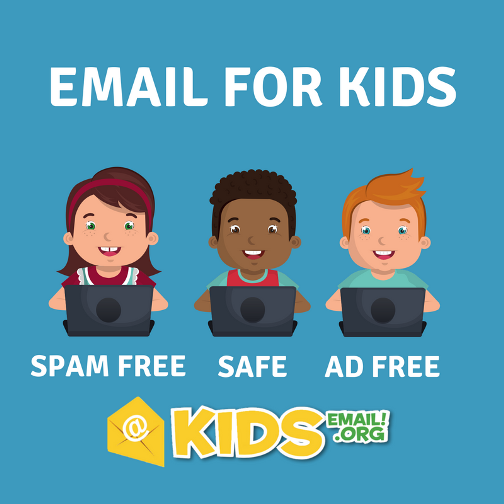
All these features mean that your child will NOT be exposed to spam, or unwanted messages. Even from their friends... because you can control the links, images and attachments while having the ability to see each and every email they send or receive.


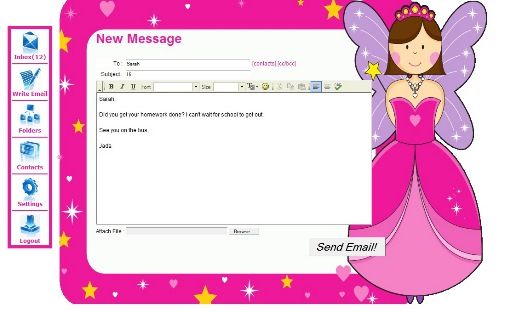
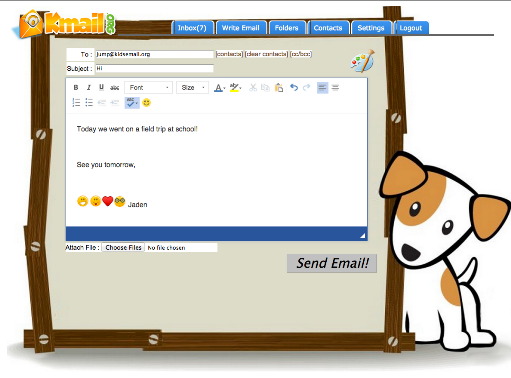
My testers loved that they could customize their backgrounds...almost as much as the actual ability to send emails.  The program contains many fun background to choose from.

In addition, they are able to create pictures or attach them.  With older children that are away in college, this email account has allowed my younger children to keep in touch easily.  They send the sweetest notes and pictures to their older siblings.


I love that the first person to get an email...was mom!  My sweet daughter has been enjoying this program so much, it has made her feel grown up.  But, I haven't had to spend even a minute worrying about her safety!


The safety settings allow me to control who she can send or receive email from, and even send my email box a copy of incoming or outgoing messages. 


I can create time restrictions, block senders, see a full activity log and even "ground" them!  I haven't had to ground anyone yet...but, I finally have a great tool I can use for "behavior training". ;-)


Kids Email makes monitoring your child's email account super easy for you and  your child gets to learn how to use technology in a safe environment - it's a win-win!

 You can even try it for free for 30 days to see what you think.


Find Kids Email on Social Media: 

Thursday, September 22, 2016

Annual Subscription from KidsEmail.org: A Homeschool Crew Review

KidsEmail.org Annual Subscription

Annual Subscription from KidsEmail.org

Email is a fact of life, but how do you introduce this to your younger students safely?  Bentz Test Laboratory has found a wonderful way to explore the online world with a Annual Subscription from KidsEmail.org.

This online subscription offers you and your children a safe email environment.  Our subscription allowed up to 6 children accounts.  Accounts are all setup by the parent.  Each one of the accounts includes safety features such as:
  • Mail Monitoring
  • Time Restrictions
  • Contact Manager
  • Offensive Word Filter
  • GPS
  • No Ads
  • SPAM Filters

Several of my older testers already have and use email, so we used this with 3 of our younger testers - grades 6th,5th and 3rd.  They LOVED it!

Setting up a parent account was easy, and I had access to many options to customize the security for my testers.  For instance, I opted to get a blind cc of every email that is sent or received, and I get to approve the message (or not).  I really like having this control. I can also control the contact list for who can send them email, and who they can send to.  It prevents any unwanted contacts and/or spam or advertising going directly to my child.  Kidsmail.com blocks all advertising and offensive language from your child's account.

My 6th grade daughter was excited to have the option for a more "sophisticated" look with her own Kmail.org account.  I can set up time limits, and even use GPS monitoring (although...none of my children get a phone until they are proud owners of a driver's license...).  My daughter was so excited, she flooded every family member's email box with sweet little emails directly from her!   

KidsEmail.org Annual Subscription

KidsEmail.org Annual Subscription
My younger testers enjoyed the process of customizing their login pages almost as much as having an actual email.  They have a large variety of backgrounds that your child can choose from.  They can also organize their mail in folders.  (a helpful skill my older children haven't mastered yet...)

They haven't gone quite as crazy with emailing everyone - but, they have enjoyed having their very own way to send their college-age brother messages.  He's been happy to see all this love from home too!

For really young students...they offer a "read it" feature that will actually read the email to your child.  My testers were able to read their own, so we didn't use this one. 

Kidsemail offers a "drawing board" for your artistic ones.  They can draw their own pictures, and send them.  My 3rd grader loved this part - her messages are mostly pictures.

KidsEmail.org Annual Subscription


KidsEmail.org Annual Subscription

KidsEmail.org Annual Subscription

Parents can also control the attachments allowed - pictures, files, etc.  I could also see a handy activity log to keep track of how much they are using it.  Once the novelty wore off, their emailing tapered off to a manageable amount.

It's very handy to be able to send them notes as well.  It's our own form of  homeschool "lunch box notes" where I write a quick note of encouragement.

This is a very easy-to-use,affordable way to begin introducing the online world while guarding their hearts.  

Highly recommend!


Find KidsEmail.org on Social Media:

Facebook: https://www.facebook.com/KidsEmail.org
Twitter: https://twitter.com/KidsEmail
Pinterest: https://www.pinterest.com/kidsemail1/
Google+: https://plus.google.com/+KidsemailOrg
Instagram: https://www.instagram.com/kidsemail/

Hashtags: #hsreviews #kidsemail #emailforkids


KidsEmail.org Annual Subscription

KidsEmail.org Annual Subscription
Crew Disclaimer