Showing posts with label computer science. Show all posts

Tuesday, November 10, 2020

Python for Beginners: Learn Coding at Home from Homeschool Code Academy: A TOS Crew Review

 Disclaimer: I received a FREE copy of this product through the HOMESCHOOL REVIEW CREW in exchange for my honest review. I was not required to write a positive review nor was I compensated in any other way


Python for Beginners: Learn Coding at Home from Homeschool Code Academy


Python for Beginners: Learn Coding at Home from Homeschool Code Academy is a great way to introduce your students to the wonderful world of computer coding.


This is an online program designed by homeschool graduate - parent - and software engineer: Matt Bohn.  We have been using a 10 month access to the full, self-paced study program that will teach your middle to high school students the basics of Python coding language so that they will be able to create 2D graphics and simple games.


The 13 sections are broken down into 158 self-paced lessons designed to be a hands-on coding lesson.  Sections include:
  • Introduction
  • Hardware and Software
  • Working with Output
  • Working with Variables and Keyboard Input
  • Doing Math with Python
  • List and Tuples
  • Turtle Graphics
  • Writing Programs that Make Decisions
  • Loops-Writing Code that Repeats and Counts
  • Re-using Code with Functions
  • Getting Unpredictable with Random Numbers
  • Space Game Code Along Project
  • Conclusion

Students must download a free program called Thonny to complete lessons. Python is a computer coding language.  Easy to follow instructions are included, and it works well on Mac or PC.

Short video lessons walk the student through step-by-step as they practice the skills they are learning at the same time.  I love that students can pause and rewind as many times as they want.  Once a lesson is marked complete, they are automatically taken to the the next lesson.  Lessons do need to be completed in order, since the skills keep building on themselves.  

Downloadable PDF of the lessons are also included.


Students complete Programming Challenges  that begin with "Hello World" and making their computer speak to them and progress to creating their own space-themed game complete with animated lasers and sound effects!  

This is a well-designed program that does not require any prior coding knowledge. My tester found it very easy to follow along, and is super excited about what he is learning!

We are excited to keep working through this program.  It's an excellent elective for your high school students, one that will give them valuable skills in today's world.

I'm always interested in learning more in-depth computer skills, and this was a great introduction to coding for both of us!


Tuesday, May 26, 2020

Everything You Need to Ace Computer Science and Coding in One Big Fat Notebook from Workman Publishing : A TOS Crew Review

Disclaimer: I received a FREE copy of this product through the HOMESCHOOL REVIEW CREW in exchange for my honest review. I was not required to write a positive review nor was I compensated in any other way


Everything You Need to Ace Computer Science and Coding in One Big Fat Notebook from Workman Publishing


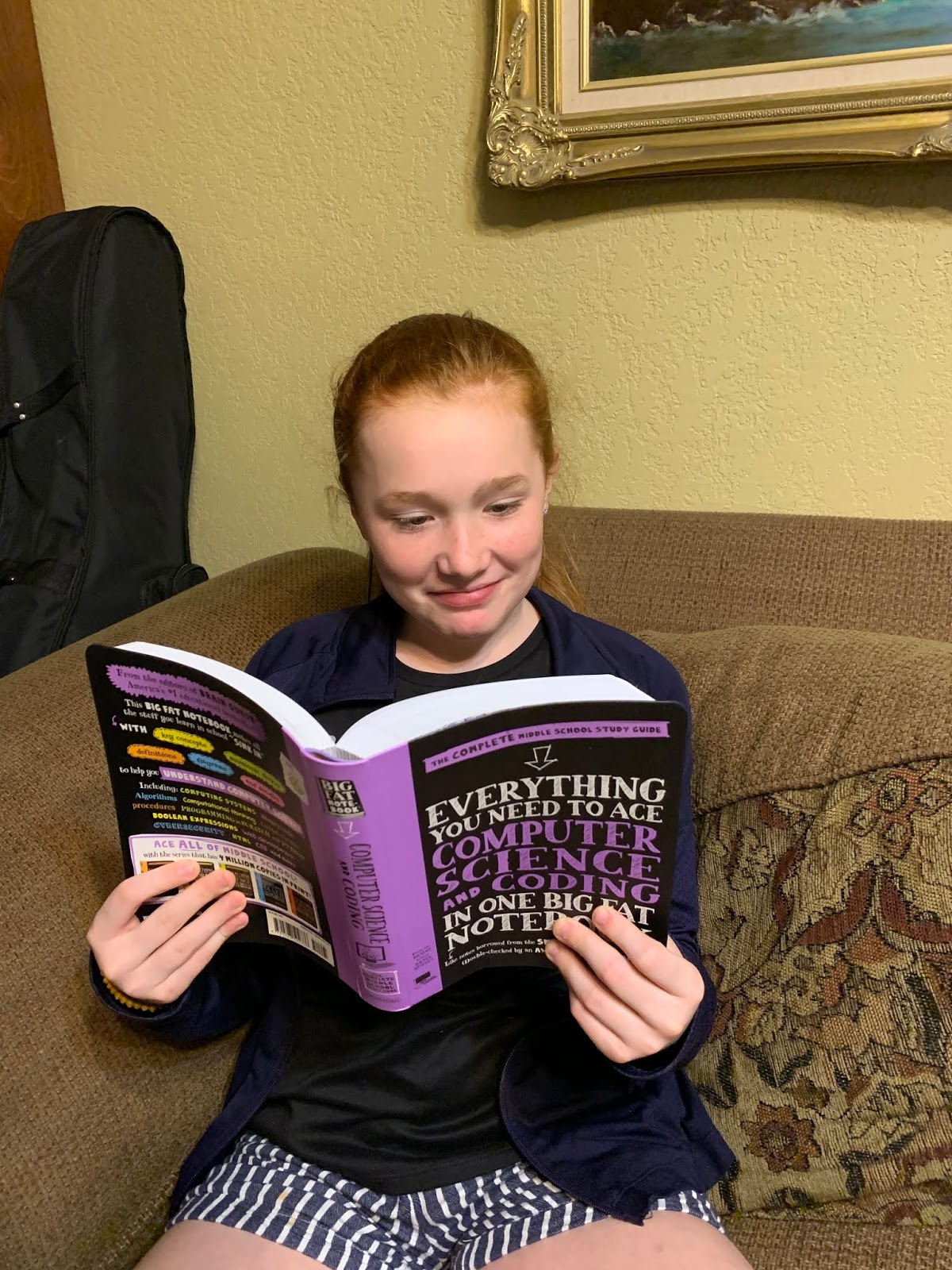
It seems like today's teens were born with an innate ability to comprehend technology and they have questions that I can't answer.  We have been enjoying Everything You Need to Ace Computer Science and Coding in One Big Fat Notebook from Workman Publishing to help fill in some of those blanks.

This fun edition of the "Big Fat Notebook" series is designed to answer your middle schooler's questions about Computer Science and Coding.  It's a hefty paperback book with a sturdy cover and nice thick pages.  It is formatted much like a page of study notes from "the smartest kid in the class"- with lots of color, diagrams and doodles.


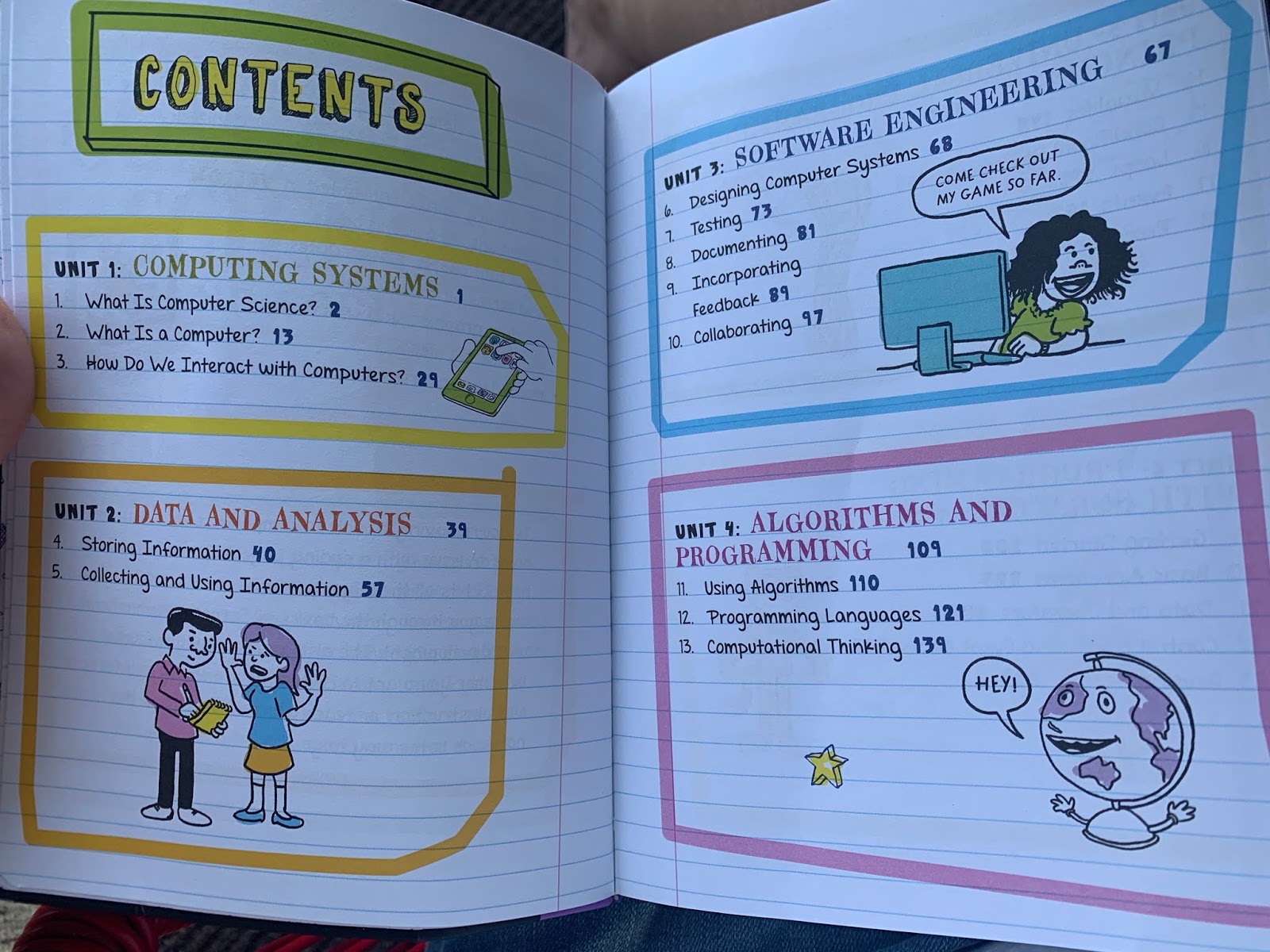
It's organized with 8 units that cover:
  • Computing Systems
  • Data and Analysis
  • Software Engineering
  • Algorithms and Programming
  • Universal Programming Principles
  • Programming with Scratch
  • Programming in Python
  • Web Development

Each unit contains short chapters that break down the complex information of computer science and coding into easily understood bits of information.  From the history of computers to HTML and CSS - it's a treasure chest of information that my testers have enjoyed discovering!


This book focuses on key concepts - definitions are bold print.  The information is presented visually in diagrams and graphs (great practice for math skills too).  Throughout the book - mnemonic devices are used to make the information memorable.  One of our favorites - the use of humor!


The information is presented in clear, easy-to-understand ways.  For example, the cost of social networks is explained - "just because you don't have to pay, doesn't mean they are free.  The cost is that you hand over tons of information about yourself..." We found lots of important topics centered around computers and technology that sparked great family discussions!

Each chapter ends with a quick review called Check Your Knowledge, with answers printed on the next page.  We really did not want to write in this valuable book, so we used them as oral discussion and review questions.


This is a great way to spark an interest in computers and coding in your child, or simply to answer some questions.  It's vital information in today's world, and it's delivered in a very user friendly format. It's not an in-depth exploration, but rather a great bird's eye view.  Exactly the kind of book my middle schooler can't put down.


We are excited to see the other books in this series from Workman Publishing  - Math, Science, World History, American History, and English!


Find Workman Publishing on Social Media:

Facebook: facebook.com/workmanpublishing/
Twitter: twitter.com/workmanpub
Instagram: instagram.com/workmanpub
Pinterest: pinterest.com/workmanpub
YouTube: youtube.com/workmanpublishing

Hashtags:  #hsreviews #BigFatNotebooks #BigFatNotebook #EverythingYouNeedToAceComputerScienceAndCoding


Everything You Need to Ace Computer Science and Coding in One Big Fat Notebook {Workman Publishing Reviews}

Wednesday, July 18, 2018

Code for Teens: A TOS Crew Review

Code for Teens
Code for Teens

Code For Teens: The Awesome Beginner's Guide to Programming (Volume 1) from Code for Teens


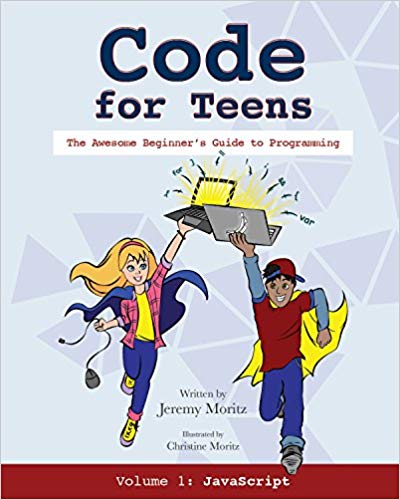
It's time to learn the language that 90% of the computer world speaks!  It's JavaScript and it's easy to master with this new book - Code For Teens: The Awesome Beginner's Guide to Programming (Volume 1) from Code for Teens.

This 219 page soft-cover book walks you through the process of learning how to write computer code in JavaScript in a clear step-by-step fashion.  Author Jeremy Moritz, a homeschool dad himself, speaks directly to the student in this self-paced course.  YOU do not need to know even the first thing about it!  I know...because I don't.

We have passed this book around to various members of the family. It is designed to be used by anyone with at least a 6th grade reading comprehension.   I got it first.  I was shocked by how easy it was to begin to learn this new "language" by following the simple instructions in the first chapter.  I feel empowered to keep up with my children now,who learn this information instantly and almost effortlessly.


This book has 10 chapters:

  • Hello World! - writing your first lines of codes and making mistakes
  • Time to Operate - Code with numbers and math operators
  • Comment on the String Section - concatenate strings and make snide comments
  • Have Some Functions - declare and invoke functions
  • Shall I Compare? - booleans, if blocks, conditionals and comparison operations
  • Logically Operational - work with null, undefined and logical operators
  • Projects Galore - practice with short projects
  • Hip Hip Array! - introduce arrays and do stuff with 'em
  • Loop a Round - put code on repeat with loops
  • Make a Hangman Game - combine concepts and build a cool game
In addition, Answers and Glossary of Terms are included.

Right away, we loved the author's sense of humor, which shows throughout the reading!  Since he is an actual homeschool dad, we loved the way he teaches directly to the reader, with humor.  Instead of long pages of text - he shows us how to practice what he is teaching right away.

The concepts in this book build on each other, so you do need to start at the beginning and work chapter by chapter.  You must have access to a computer with Chrome browser to complete the work in your "Workbook", it does not work on mobile devices.


Each chapter contains screen shots, highlighted text, and step-by-step instructions to follow as you learn this new language. 

The book is very engaging with bright illustrations, done by Christine Moritz, the author's wife.  It's the kind of book that my children were drawn into right away. 

 As it is essential to keep the book near you while working at the computer,  I wish the book was spiral bound, so that it would stay open flat, the only difficulty we had was keeping the book open to the right page.

Throughout the text, important words are highlighted in bold - and can be found in the glossary as well. You will truly learn a new language with terms like boolean, camelCase, and concatenate!  The author does a wonderful job of explaining the terms in plain english, and helping you understand them (like camelCase - named because it looks like humps on a camel,  I'll never forget it!)  

Each chapter reviews the Key Concepts, has drills to complete and Quiz.  All answers are included in the back of the book.


Every one of us enjoyed using this book!  In fact, I highly recommend you add it to your regular curriculum, it's a valuable skill we need in today's world.

I plan to check out Volume 2 - which teaches even more coding skills like HTML and CSS.


Find  Code for Teens on Social Media:

Facebook: https://www.facebook.com/CodeForTeens/

Hashtags:#hsreviews #CodeForTeens #computerprograming #programing #JavaScript

Code For Teens: The Awesome Beginner's Guide to Programming {Code for Teens Reviews}


Crew Disclaimer

Wednesday, April 12, 2017

Digital Savvy from CompuScholar, Inc.: A TOS Crew Reveiw

CompuScholar, Inc.
CompuScholar, Inc. Digital Savvy

Digital Savvy  from  CompuScholar, Inc.

Technology skills are NOT optional in today's world.  The Bentz Test Laboratory has been getting an education with Digital Savvy  from  CompuScholar, Inc.
This is a one-year, online course that will introduce your 6th-12th grade students to the valuable computer skills they need to know.  It's similar to what is covered in "Information Technology" classes - you can check out the syllabus here.
My tester is 14 and in 8th grade.  We are not huge technology users for our younger students, but by the time they hit high school, we want them to have a good mastery of how to use technology.  This course is a great fit.
This program is super easy to set up and use.  Both parent and student set up logins.  Once logged in, the student and pick and choose the topic they want to work on, or just start at the beginning like my tester did.  It's designed to be completed by the student independently and their own pace, and there is NO prep for mom!
25 chapters an additional supplemental lessons cover a broad range of topics from very basic introduction to computers, using spreadsheets, all the way to careers in computer technology.  Social media and working with digital images are included as well.  This is a very comprehensive program, and could easily count for high school credit. In fact, all of our high school students are working through this program!

Chapters are broken down into lessons.  Each lesson includes a video and text component, plus a quiz.  My tester liked the videos, but is much more of a visual learner, so preferred the text. I like that the program includes both.


 The quizzes allow for multiple tries, so if a concept isn't mastered - they can go back and redo it.   Hands-on activities to complete with a mid-term and final exam complete the course.

 User reports allow the student to see their progress, as well as grades from their automatically graded quizzes and tests.

Overall, my tester was impressed with the program.  The new updated look is very clean and professional.  I was impressed by the volume and quality of the information presented.  This is a well-designed, easy-to-use program that takes the mystery out of technology.
CompuScholar, Inc. offers other must-have technology courses you will want to check out: 

Find CompuScholar, Inc. (formerly Homeschool Programming) on Social Media:

CompuScholar, Inc.Homeschool Programming
Twitter – https://twitter.com/HSProgramming   @hsprogramming

CompuScholar, Inc


Hashtags: #hsreviews  #computerprogrammingforkids #codingforkids #computerskills


Digital Savvy, Web Design & Java Programming {CompuScholar,Inc Reviews}

Crew Disclaimer

Wednesday, July 24, 2013

TeenCoder C# Series by Homeschool Programming : A TOS Crew Review

 photo logo_zpsfc09b7b4.jpg


 photo TC2_YP_Videos_MED_zps53dd710d.png
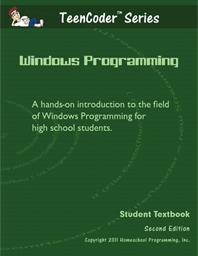
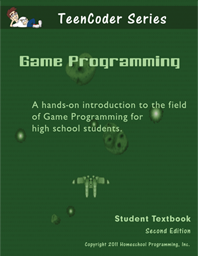
 photo TC-WP2_MED_zpsdc904d38.png  photo TC-GP2_MED_zps241e02d9.png


TeenCoder C# Series by Homeschool Programming

From their website:
"The TeenCoder C# programming courses are designed for 9th-12th grade students who may be interested in computer science as a career, hobby, or who may need a computer course for high school graduation. Build your school transcript with a high quality technical elective that is easily recognized by college professors.

Utlizing the free Visual C# 2010 Express development environment from Microsoft, each chapter explains a programming concept in detail with corresponding sample code. In hands-on activities for each chapter the student will write their own programs based on the chapter topics. Instructional Videos for each course are perfect for your audio-visual learner! These videos do not replace the Student Textbook, but they do re-inforce every chapter and lesson in a fun, animated manner.

Cost - TeenCoder: Windows Programming and TeenCoder: Game Programming each cost $75 for the course or $90 for the course with video instruction.

TeenCoder C# Year Pack combines both the Windows Programming and Game Programming courses for $130 (courses only) or $155 (courses and videos).

The Bentz Test Laboratory has a high school student!  Yikes - how did that happen?  That means not only teaching the basics, but adding in electives.  Now what?

Here's a suggestion...why not ask them what THEY want to learn?  Computer Science is the perfect, self-directed (because I don't know any of this stuff myself) high school elective course.  So, when TeenCoder C# Series by Homeschool Programming  became available...we jumped at the chance!

Homeschool Programming, Inc. was founded by homeschooling parents who have degrees in Computer Science and Electrical Engineering as an answer for curriculum to teach "real computer programming" to children who have parents that do not know it themselves... Horray!  

The TeenCoder C# series is designed for the 9-12th grade student.  A student DOES NOT need prior programming knowledge - this is a "start from the beginning" course, they assume some basic computer knowledge that all kids today seem to be born knowing :-) The course is composed of 2 Semesters:  1- Basic Programming and 2-Game Programming.  You do need to work from the beginning, as the skills build upon each other.

The program is delivered as 2 "meaty" PDF files.  For our ease of use, I went ahead and printed them (250 pages - draft quality) and put them in a binder.  You could also access them directly from your PC, or E-reader if you wanted to instead.  We are very visual learners, so a hard copy was good for us.  A printed version would be a nice purchase option.

We also took advantage of the Instructional Videos.  These are a MUST HAVE in our opinion. (check out a sample of the videos here)  Programming is like learning a new language, and it's very helpful to have a guided tour!

Semester 1 begins with TeenCoder C#: Windows Programing
TeenCoder
Topics Covered in this Course
  • Introduction to the C# programming language
  • Creating graphical Windows screens
  • Using dialog controls
  • C# data types and variables
  • User input and flow control
  • Math functions and string operations
  • C# debugging and exception handling
  • Object-oriented programming concepts
  • Classes, inheritance, and polymorphism
  • Collections, sorting, and recursion
  • File Input/Output
Final Project - the student will create a graphical chess game! This project will demonstrate many of the Windows and object-oriented programming skills the student has learned. It's also a great lead-in to our second-semester course, TeenCoder: Game Programming!

My soon-to-be 10th grade tester tackled this program completely independently ("self-directed", to quote Homeschool Programming's description).

He worked through a chapter or topic a day, several days a week.  At first, it was easy to read the chapter, watch the instructional video and complete the activity in one sitting.  As he progressed, the material became more difficult - and he needed to spend more time on each chapter and topic.

Each chapter walks you through learning with step-by-step instructions and even screen shots to illustrate.  An end of the "Chapter Review" goes over key points and the "Activity" actually implements what you have learned to complete another programming step. 

Homeschool Programming has included tools - i.e. 16 chapter tests, to help you assess your student's progress.   Our final assessment was the completion and testing of the end of the chapter activities plus his final project chess game.

Here are his impressions of TeenCoder's Windows Programming:
  • The step-by-step instructions were easy to follow. 
  • The video was VERY helpful in being able to "see" what I was learning. 
  • The activities at the end of the chapter are a fun way to put what I've learned into practice.  I've even been able to expand them. 
  • Sometimes, the video explained an example - but, it didn't match what the text had.  It could be confusing.  I couldn't really read along with the video.
  • I liked learning a new language, that my mom doesn't know!!
  • Working on this, has made me want to learn more about computer programming, and given me a new appreciation for what goes into building a program. 
  • I can't wait to program my own games!
 Semester 2 continues with TeenCoder C#: Game Programing.

Topics Covered in This Course:Homeschool Programming

  • Introduction to the XNA Game Studio
  • Game design, game engines, and timer loops
  • Screen coordinates and color concepts
  • Drawing, scaling, and rotating images
  • Handling keyboard, mouse, and XBox 360 Gamepad controller inputs
  • Creating Sprite objects
  • Collision detection
  • 2D animation techniques
  • Playing music and sound effects
  • Game physics
  • Maze generation and solution algorithms
  • Menus, overlays, and deployment models
  • Multi-player scrolling games
  • Game artificial intelligence (AI)
Final Project -  the student will create new arcade game called Bumper Cars! This project will demonstrate many of the game programming skills the student has learned throughout the semester. Once completed the student will have the confidence and framework to write new games on their own!

My tester did not get to the Second semester in our 8 week review period, but the TeenCoder Game Programming looks every bit as challenging and rewarding as the Windows Programming course, and he can't wait to begin creating his own games! 

Together these make a very solid HIGH school level computer science credit.  The self-study format makes it possible, even if you don't know the subject (the beauty of homeschooling through high school).  If you are wanting to learn more about programming...this would be a great course for the parents too.

This well organized, easy to follow along, course has sparked a new interest in computer programming...who knows where that will take him? Best of all, it's a skill he can use for the future. 

 Other members of the TOS Crew reviewed several other products by Homeschool Programming :
KidCoder Visual Basic Series , KidCoder Web Series, & TeenCoder Java Series

 
Click to read more reviews from the Schoolhouse Review Crew


Photobucket
 
 photo DisclaimerGraphic1_zpsf612f371.gif

Saturday, June 8, 2013

Let's Make a Web Page by Motherboard Books: A TOS Crew Review

Motherboard Books Logo photo motherboardbookslogo_zps225f4801.jpg


Let's Make a Web Page logo photo motherboardbooks-letsmakeawebpage_zpsc51e735a.png
Let's Make a Web Page by Motherboard Books

From their website:
Let's Make a Web Page is a 60-page e-book intended as a short-term homeschool project for kids 8 and up.
- Kids younger than 10 will need an adult alongside. No expertise required.
- Parents download a free trial version of CoffeeCup software.
- Software is compatible with Windows XP, Vista, and later (not Mac).
- Instructions for the parent include Internet safety and uploading to the Internet.
- Tone encourages experimenting and creativity."

Cost: $19.95
 
The Bentz Test Laboratory is excited to learn anything new that has to do with using and understanding technology.  I bet your children are too!
 
 Let's Make a Web Page by Motherboard Books is just the introduction we were looking for.  This PDF e-book walks you through creating a web page, step-by-step.  Designed for ages 8 and up. 
 
 
We chose to create our web page together - my tester and I.  The 10 Lessons of  Let's Make a Web Page  walked us through creating a web page start to finish.   We began with an "interview".  My son decided to do his interview with our missions pastor.  (We are going to India this fall, and this is someone who planted the seed in my son!). 
 
First, we had to install a free version of CoffeeCup Virtual Site Designer (a free online tool for web page design that writes the HTML code).    Lesson by lesson -  we added our text, photos, backgrounds, animations, sound and links.  He loved adding the animations of spinning globes, and both of our blog links!

 Phyllis Wheeler, the author - speaks directly to you in a very conversational tone.  It was like having our own personal tutor.   The final lesson included information on how to load your page to the internet (but, since we didn't want to pay for hosting... we opted not to upload our page) or to create your new web page as your "home page" - and it will pop up every time you open your browser!


The lessons were extremely easy to follow along.  Screen shots are included, so that you can see exactly what to expect. Occasionally, we didn't see what we thought we would be seeing on our screen (but, that was due to CoffeeCup - and not the lesson).   Internet safety is stressed throughout, and I would feel completely comfortable allowing my child to work through this independently. 
 
 
This is a fast, and easy introduction to the web page world.  I must admit, I learned quite a few things myself.  It's affordable price makes is a must-have.  Armed with some of the basics, my son is ready to explore the world of web pages - and is working on another one right now!
 
Other members of the TOS Review Crew looked at another Motherboard Books product called - Logo Adventures,  you should check it out.   For more resources, visit their webpage  (tons of great suggestions there)

 
Click to read more reviews from the Schoolhouse Review Crew
 
 photo DisclaimerGraphic1_zpsf612f371.gif